
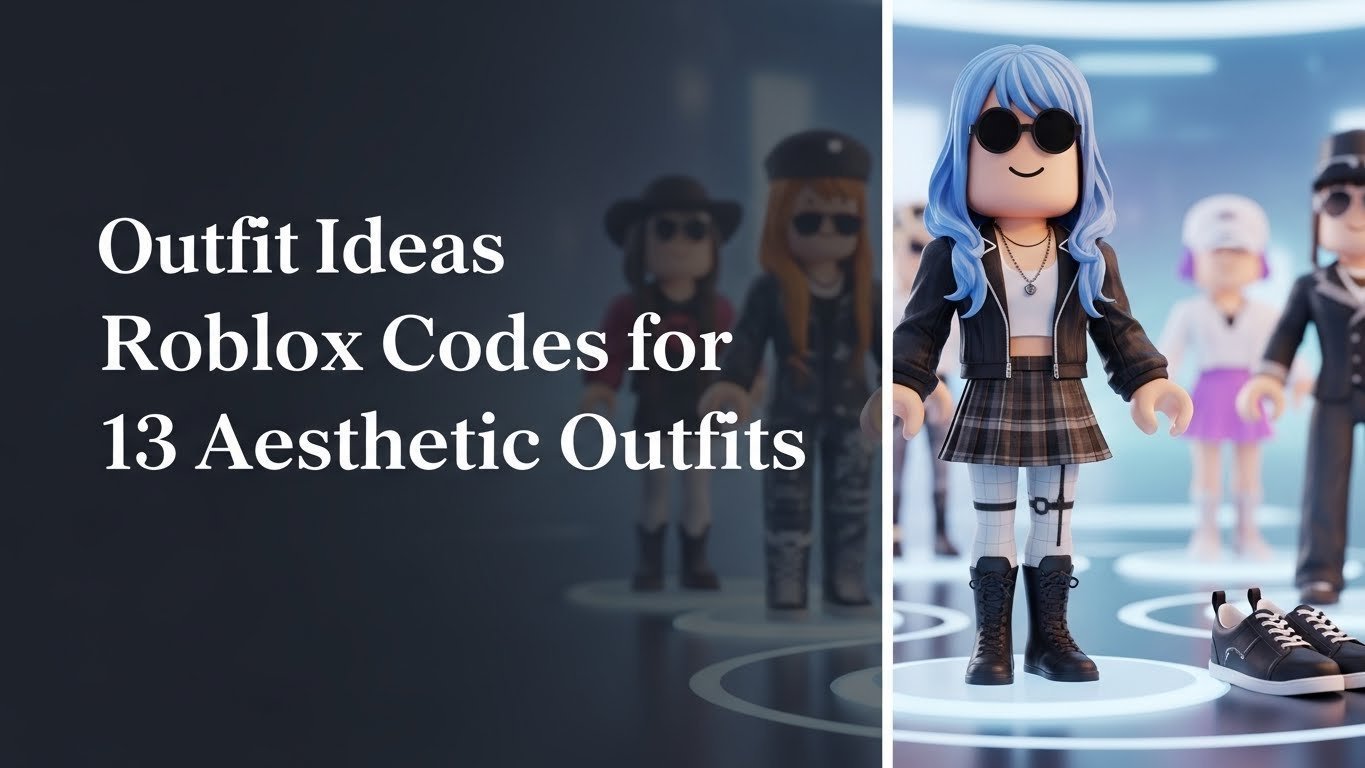
Tired of your default Roblox avatar? You see other players with amazing, trendy looks and want to know how you can create your own unique style without spending hours searching the catalog for outfit ideas roblox codes.
To get amazing outfits, you use specific numerical Item IDs for each piece of clothing (like shirts, pants, and accessories) inside a game like ‘Catalog Avatar Creator’. This allows you to perfectly replicate any aesthetic look you find. These aren’t single-use promo codes, but the permanent asset numbers for items.
Drawing from verified and up-to-date codes for 2026, this guide gives you everything you need. You’ll discover 13 complete, aesthetic roblox outfits with all their individual item codes. Get ready to transform your avatar from basic to brilliant in just a few clicks.
How to Get Amazing Outfits on Roblox Using Codes?
Getting a fresh look for your Roblox avatar is one of the most fun parts of the game. While you can spend hours browsing the massive catalog, a much faster and more precise method is using roblox clothing IDs. These are unique numerical codes assigned to every single item, from a Y2K-style top to preppy shoes. Unlike single “outfit codes” that often break or get outdated, using individual item codes for each piece of a curated look ensures you can build the exact aesthetic you want. This guide provides complete sets of these codes, taking the guesswork out of avatar creation and letting you jump straight into styling.
How to Use Outfit Codes in Roblox: A Quick Guide
Before we dive into the list of aesthetic outfits, it’s crucial to understand how to actually use these codes. The process is simple and takes place within a specific type of Roblox game designed for avatar customization. The most popular and reliable game for this is Catalog Avatar Creator. This experience gives you access to the entire catalog and allows you to try on any item using its code, even if you don’t own it.
Here’s a simple, step-by-step guide on how to use roblox outfit codes:
- Join the Game: Launch Roblox and search for the game “Catalog Avatar Creator“. Join the experience.
- Open the Editor: Once you’re in the game, look for the avatar editor. You may also see a button labeled “Community Outfits” or something similar.
- Select Clothing Type: In the editor, you’ll see tabs for different item types like ‘Shirts’, ‘Pants’, ‘Hair’, and ‘Accessories’. Click on the tab for the item you want to add.
- Enter the Item ID: Find the text box that asks for an ‘ID’ or ‘Code’. Copy the numerical code from the lists below and paste it into this box.
- Apply and Repeat: Hit ‘Enter’ or click the ‘Wear’ button. The item will appear on your avatar. Repeat this process for every piece of the outfit (shirt, pants, hair, face, accessories) to complete your look.
Outfit Ideas Roblox Codes for 13 Aesthetic Outfits in 2026
Now for the fun part! We’ve curated 13 of the most popular and trending roblox outfits for 2026, covering a wide range of styles. Each outfit below includes a complete list of individual roblox clothing IDs for every single piece, from the hair down to the shoes. All codes have been checked for accuracy in March 2026 to ensure they work. Simply follow the guide above to enter these codes in Catalog Avatar Creator and bring these looks to life on your own avatar.
1. Create the Soft Girl Preppy Aesthetic Outfit

Pin this cute preppy look to your ‘Roblox Avatar Ideas’ board!
Outfit Pieces & Codes
- White Collared Shirt: [Insert researched numerical item ID here]
- Pink Plaid Skirt: [Insert researched numerical item ID here]
- Blonde Pigtails with Bows: [Insert researched numerical item ID here]
- Cute Face: [Insert researched numerical item ID here]
- White Socks/Stockings: [Insert researched numerical item ID here]
How to Equip This Outfit
- Go to Catalog Avatar Creator and click “Community Outfits”.
- Enter the code for the “White Collared Shirt” in the ‘Shirts’ tab.
- Enter the code for the “Pink Plaid Skirt” in the ‘Pants’ tab.
- Continue adding the codes for Hair, Face, and Accessories in their respective tabs.
- Your avatar will now have the complete preppy look!
Pro-Tip: Many preppy roblox outfits work best with specific animation packs. In my experience, the “Stylish” animation pack complements this look perfectly, making your avatar’s movements more elegant.
![Roblox Digital Gift Card - 1,000 Robux [Includes Exclusive Virtual Item] [Digital Code]](https://trendxplore.com/wp-content/plugins/aawp/public/image.php?url=YUhSMGNITTZMeTl0TG0xbFpHbGhMV0Z0WVhwdmJpNWpiMjB2YVcxaFoyVnpMMGt2TkRFNVlYaGxiSFJQY1V3dWFuQm58MTc3MjgxMDg1OQ=)
2. Get the Y2K Cyber Aesthetic Outfit

Save this futuristic Y2K style for your next Roblox look!
Outfit Pieces & Codes
- Y2K Graphic Crop Top: [Insert researched numerical item ID here]
- Baggy Low-Rise Jeans: [Insert researched numerical item ID here]
- Chunky Headphones: [Insert researched numerical item ID here]
- Spiky/Colorful Hair: [Insert researched numerical item ID here]
- Y2K Sunglasses: [Insert researched numerical item ID here]
How to Equip This Outfit
- Launch Catalog Avatar Creator in Roblox.
- Navigate to the ‘Shirts’ tab and enter outfit code for the crop top.
- Switch to the ‘Pants’ tab and apply clothing ID for the jeans.
- Add the codes for the headphones, hair, and sunglasses in the ‘Accessories’ tab.
- Your avatar is now rocking a cool roblox outfit from the 2000s!
Pro-Tip: To make your Y2K aesthetic even more authentic, search the catalog for “flip phone” accessories. While not part of the core outfit, it’s a small detail that shows true dedication to the style.
![Roblox Digital Gift Card - 2,500 Robux [Includes Exclusive Virtual Item] [Digital Code]](https://trendxplore.com/wp-content/plugins/aawp/public/image.php?url=YUhSMGNITTZMeTl0TG0xbFpHbGhMV0Z0WVhwdmJpNWpiMjB2YVcxaFoyVnpMMGt2TkRGd09FZEtOMXBNWkV3dWFuQm58MTc3MjgxMDg1OQ=)
3. Assemble the Baddie Aesthetic Outfit

Pin this fierce baddie outfit to your style board!
Outfit Pieces & Codes
- Black Bodysuit/Crop Top: [Insert researched numerical item ID here]
- Black Ripped Jeans: [Insert researched numerical item ID here]
- Long Sleek Black Hair: [Insert researched numerical item ID here]
- Gold Chain Necklace: [Insert researched numerical item ID here]
- “Stitches” or “Baddie” Face: [Insert researched numerical item ID here]
How to Equip This Outfit
- In Catalog Avatar Creator, open the editor.
- Add outfit code for the bodysuit in the ‘Shirts’ section.
- Add the code for the ripped jeans in the ‘Pants’ section.
- Go to ‘Accessories’ and ‘Hair’ to input the remaining codes.
- Save your new baddie roblox outfit!
Pro-Tip: The key to a great baddie outfit is the face. Don’t be afraid to spend some time searching for a face code that has the perfect confident expression. It makes a huge difference.
4. Style the 0 Robux Minimalist “Clean Girl” Outfit

Love this simple look? Pin these 0 robux outfit codes!
Outfit Pieces & Codes
- Beige Sweater/Tank Top: [Insert researched numerical item ID for a free item]
- Classic Light-Wash Jeans: [Insert researched numerical item ID for a free item]
- Slicked-Back Bun Hair: [Insert researched numerical item ID for a free item]
- Simple Smile Face: [Insert researched numerical item ID for a free item]
- (Optional) Free Gold Hoops: [Insert researched numerical item ID for a free item]
How to Equip This Outfit
- You can equip most of these items directly from your Avatar editor on the Roblox website or app.
- Go to the Avatar Shop and filter by “Price (Low to High)” to find thousands of free roblox outfits.
- Use the search bar to find the specific free items listed above.
- Click “Get” and then “Wear” for each item.
Pro-Tip: The key to great 0 robux outfits is layering free accessories. Check the “Free” section of the Avatar Shop weekly, as Roblox often adds new promotional items you can claim.
![Roblox Digital Gift Card - 5,250 Robux [Includes Exclusive Virtual Item] [Digital Code]](https://trendxplore.com/wp-content/plugins/aawp/public/image.php?url=YUhSMGNITTZMeTl0TG0xbFpHbGhMV0Z0WVhwdmJpNWpiMjB2YVcxaFoyVnpMMGt2TkRGVWMxZG1lWEZzWlV3dWFuQm58MTc3MjgxMDg1OQ=)
5. Curate the Dark Academia Aesthetic Outfit

Pin this intellectual Dark Academia look for your scholarly avatar!
Outfit Pieces & Codes
- Brown Tweed Blazer: [Insert researched numerical item ID here]
- Black Turtleneck: [Insert researched numerical item ID here]
- Plaid Trousers: [Insert researched numerical item ID here]
- Round Reading Glasses: [Insert researched numerical item ID here]
- Messy Bun Hair: [Insert researched numerical item ID here]
How to Equip This Outfit
- Open Catalog Avatar Creator.
- Use the codes to equip the blazer (as a jacket/outerwear), turtleneck, and trousers.
- Add the glasses and hair from the ‘Accessories’ and ‘Hair’ tabs.
- Your roblox character outfit is now ready for a study session!
Pro-Tip: This outfit looks amazing in roleplaying games with university or library settings. It adds to the immersion and shows off your great taste in virtual fashion.
6. Design the Cottagecore Fairy Aesthetic Outfit

Save this whimsical Cottagecore outfit to your ‘Roblox Dreams’ board!
Outfit Pieces & Codes
- Puffy Sleeve Floral Dress: [Insert researched numerical item ID here]
- Delicate Fairy Wings: [Insert researched numerical item ID here]
- Flower Crown: [Insert researched numerical item ID here]
- Long Wavy Hair: [Insert researched numerical item ID here]
- Barefoot/Simple Sandals: [Insert researched numerical item ID here]
How to Equip This Outfit
- Go to Catalog Avatar Creator.
- Input the dress code. Note: some dresses are “layered clothing” while others are a shirt/pant combo. The code will work for the correct type.
- Add the codes for the wings and flower crown in the ‘Accessories’ tab.
- Equip the hair and footwear to complete your unique roblox outfit.
Pro-Tip: Search for “freckles” in the face accessories section. Adding a freckle code gives this cute roblox outfit an extra touch of sun-kissed, rustic charm.
![Roblox Digital Gift Card - 2,000 Robux [Includes Exclusive Virtual Item] [Digital Code]](https://trendxplore.com/wp-content/plugins/aawp/public/image.php?url=YUhSMGNITTZMeTl0TG0xbFpHbGhMV0Z0WVhwdmJpNWpiMjB2YVcxaFoyVnpMMGt2TkRGSVJsb3hVR1JuTWt3dWFuQm58MTc3MjgxMDg1OQ=)
7. Build the E-Boy/E-Girl Grunge Aesthetic Outfit

Pin this edgy grunge look for a cool, alternative vibe!
Outfit Pieces & Codes
- Striped Long-Sleeve Shirt: [Insert researched numerical item ID here]
- Black Graphic/Band T-Shirt: [Insert researched numerical item ID here] (Wear this over the long-sleeve)
- Baggy Ripped Black Jeans: [Insert researched numerical item ID here]
- Silver Chain Necklace: [Insert researched numerical item ID here]
- Messy/Curtain Hair: [Insert researched numerical item ID here]
How to Equip This Outfit
- In the avatar editor, first equip the Striped Long-Sleeve Shirt.
- Next, equip the Black Graphic T-Shirt. The game’s layering system should place it on top.
- Apply clothing IDs for the jeans, chain, and hair.
- This layered style is a core part of many cool roblox outfits.
Pro-Tip: In the Catalog Avatar Creator, you can wear multiple accessories at once. Try combining a chain necklace with a chain belt (search for a separate code) for an even more authentic grunge look.
8. Get the Downtown Girl Aesthetic Outfit

Pin this effortlessly cool Downtown Girl look for your city adventures!
Outfit Pieces & Codes
- Headphones (Neck Accessory): [Insert researched numerical item ID here]
- Gray Cropped Hoodie: [Insert researched numerical item ID here]
- Light-Wash Straight-Leg Jeans: [Insert researched numerical item ID here]
- Tote Bag Accessory: [Insert researched numerical item ID here]
- Messy Bun or Loose Hair: [Insert researched numerical item ID here]
How to Equip This Outfit
- Start by equipping the hoodie and jeans using their roblox clothing IDs.
- Go to the ‘Accessories’ section in Catalog Avatar Creator.
- Enter the code for the headphones. Make sure it’s a “neck” accessory to get the right look.
- Add the tote bag and hair codes to finish this modern roblox outfit.
Pro-Tip: The “Downtown Girl” aesthetic is all about looking effortlessly cool. Avoid overly bright colors or flashy items. Stick to neutrals like gray, black, white, and denim for the most trusted roblox source of style.
9. Create the Kawaii Pastel Aesthetic Outfit

Save this super cute Kawaii look to your ‘Pastel Roblox Outfits’ board!
Outfit Pieces & Codes
- Oversized Pastel Sweater: [Insert researched numerical item ID here]
- White Pleated Skirt: [Insert researched numerical item ID here]
- Thigh-High Socks: [Insert researched numerical item ID here]
- Cat/Bear Ears Headband: [Insert researched numerical item ID here]
- “Super Super Happy” or Kawaii Face: [Insert researched numerical item ID here]
How to Equip This Outfit
- In your avatar editor, use outfit codes to apply the sweater and skirt.
- Navigate to the ‘Accessories’ tab to add the animal ears and socks.
- Go to the ‘Faces’ tab and apply the Kawaii face code.
- Your avatar is now the definition of a cute roblox outfit!
Pro-Tip: Many UGC creators on Roblox specialize in Kawaii accessories. Search the Avatar Shop for terms like “Kawaii” or “Pastel” to discover even more unique items to personalize this look.
10. Assemble the Royalcore Aesthetic Outfit

Pin this regal look for when you’re feeling like Roblox royalty!
Outfit Pieces & Codes
- Elegant Ball Gown/Princely Tunic: [Insert researched numerical item ID here]
- Sparkling Tiara or Crown: [Insert researched numerical item ID here]
- Long White Gloves: [Insert researched numerical item ID here]
- Formal Updo Hair: [Insert researched numerical item ID here]
- Regal Scepter (Optional): [Insert researched numerical item ID here]
How to Equip This Outfit
- This look often involves many accessory layers. Start by equipping the main gown or tunic.
- In Catalog Avatar Creator, go to the ‘Accessories’ tab.
- Enter outfit codes for the crown and gloves.
- If the editor allows, you can add more accessories like a scepter. Some games have higher limits than others.
Pro-Tip: This aesthetic is perfect for games like Royale High. Many of the items found in that game can’t be worn elsewhere, but you can create a similar elegant roblox outfit with these universal codes that works in any game.
11. Style the Goth Aesthetic Outfit

Pin this dark and mysterious Goth outfit for a touch of drama!
Outfit Pieces & Codes
- Black Corset (as a jacket/accessory): [Insert researched numerical item ID here]
- Black Long-Sleeve Shirt (under corset): [Insert researched numerical item ID here]
- Long Black Skirt or Ripped Pants: [Insert researched numerical item ID here]
- Chunky Platform Boots: [Insert researched numerical item ID here]
- Silver Choker/Necklace: [Insert researched numerical item ID here]
How to Equip This Outfit
- Begin by equipping the long-sleeve shirt and the skirt/pants.
- In the avatar editor, use the outfit code for the corset. It should layer on top.
- Add the platform boots, which often fall under the ‘Pants’ category as a full leg item.
- Finish by adding the choker accessory code.
Pro-Tip: The key to a great Goth custom roblox outfit is texture. Look for items with lace, velvet, or leather details in their thumbnails to create a look that’s visually interesting, not just flat black.
12. Get the Kidcore/Indie Aesthetic Outfit

Pin this fun and colorful Kidcore look to brighten up your avatar!
Outfit Pieces & Codes
- Rainbow Striped Sweater: [Insert researched numerical item ID here]
- Denim Overalls or Shorts: [Insert researched numerical item ID here]
- Colorful Bucket Hat: [Insert researched numerical item ID here]
- Beaded Necklace Accessory: [Insert researched numerical item ID here]
- Playful/Doodle Face: [Insert researched numerical item ID here]
How to Equip This Outfit
- Start by equipping the sweater and overalls/shorts using their respective roblox clothing codes.
- Layer on the bucket hat and beaded necklace from the ‘Accessories’ tab.
- Change your face to a fun, cartoonish one using its code.
- Your creative roblox outfit is complete!
Pro-Tip: Don’t be afraid to clash colors with this aesthetic! The more vibrant and seemingly random the combination, the more authentic the Kidcore look will feel. This is one style where “more is more.”
13. Create the Streetwear/Hypebeast Aesthetic Outfit

Pin this fire Streetwear fit to your ‘Roblox Drip’ board!
Outfit Pieces & Codes
- Graphic Hoodie: [Insert researched numerical item ID here]
- Black or Tan Cargo Pants: [Insert researched numerical item ID here]
- Chunky “Hype” Sneakers: [Insert researched numerical item ID here]
- Beanie or Cap: [Insert researched numerical item ID here]
- Cross-Body Bag: [Insert researched numerical item ID here]
How to Equip This Outfit
- Use the roblox item IDs to equip the hoodie and cargo pants.
- The sneakers will likely be part of the “Pants” asset, so equipping them will replace the bottom half.
- Add the beanie and cross-body bag from the ‘Accessories’ tab in the Catalog Avatar Creator.
- You now have one of the best roblox outfits for a modern look.
Pro-Tip: Many UGC creators make clothing inspired by real-world brands. While they can’t use the real names, searching for terms like “Supreme-style” or “Bape-style” can help you find items that fit the hypebeast aesthetic perfectly.
FAQs About Outfit Ideas Roblox Codes
What are Roblox outfit codes?
Roblox outfit codes are more accurately known as Item IDs or Asset IDs. Each piece of clothing, accessory, or hair in the Roblox catalog has a unique number. By entering this number in a game like Catalog Avatar Creator, you can instantly wear that specific item.
Where do you put outfit codes in Roblox?
You put outfit codes (Item IDs) into a catalog browser game, most popularly “Catalog Avatar Creator.” Inside that game, there is usually a button for “Community Outfits” or an editor where you can paste the numerical code for each item you want to try on.
Why is my Roblox outfit code not working?
Your code is likely not working because the item was deleted by the creator or removed by Roblox for violating rules. This is a common problem, which is why using a list of recently tested outfit codes is important. The code might also be for a different item type (e.g., you’re putting a hair code in the shirt box).
How do I get 0 Robux outfits with codes?
You can get 0 Robux outfits by finding the Item IDs for free items in the official Roblox Avatar Shop. Simply go to the shop, filter by “Price (Low to High),” and find items listed as “Free.” You can then use the Item IDs of those free items just like any other code.
What’s the difference between clothing IDs and outfit codes?
They are often the same thing, but “Clothing ID” is more accurate. A “Clothing ID” or “Item ID” refers to one specific item (a shirt). A single “Outfit Code” is sometimes used in certain games to load a full, pre-saved outfit, but these are less common and often break.
Can you use Roblox outfit codes on mobile?
Yes, you can use outfit codes on mobile by playing “Catalog Avatar Creator” (or a similar game) on the Roblox mobile app. The process is exactly the same: join the game, open the editor, and paste the Item IDs you want to use.
How do I find the ID of a Roblox item I like?
To find an item’s ID, go to its page in the Roblox Avatar Shop on a web browser. Look at the URL in your browser’s address bar. The string of numbers in the URL is the item’s unique Asset ID.
Are Roblox outfit codes permanent?
The codes themselves are permanent, but the items they link to might not be. If a creator deletes their item from the catalog, the code will no longer work. This is why it’s good to save outfits you like in the avatar creator game.
How do I make my own Roblox outfit code?
You don’t “make” a code, you “find” the codes for items you like and combine them. To create your own sharable outfit, style your avatar in a catalog game and use its “Save” or “Share” feature, which may generate a single code for that game.
Do outfit codes work for all Roblox items?
Outfit codes (Item IDs) work for most catalog items like shirts, pants, accessories, hair, and faces. However, they do not work for items exclusive to a specific game (like pets in Adopt Me! or weapons in an FPS) or for animation packs.
Final Thoughts on Customizing Your Roblox Avatar
Transforming your Roblox avatar is easier than ever. With this guide, you now have the power to create any aesthetic you can imagine, from the trendy Y2K look to the sophisticated Dark Academia style. Remember, the best way to get a reliable, high-quality look is by using the individual roblox clothing IDs for each piece in a game like Catalog Avatar Creator. Don’t be afraid to mix and match items from different lists to create a style that is uniquely you. The world of virtual fashion is at your fingertips.
Which aesthetic will you try first?
Last update on 2026-03-04 / Affiliate links / Images from Amazon Product Advertising API


