Searching for a Liene PixCut S1 color sticker printer review that actually tests its limits?
The challenge is finding an all-in-one sticker maker that delivers truly waterproof stickers, high color accuracy, and precise cuts without forcing you to buy three different expensive machines.
After testing the Liene PixCut S1 for 4 weeks, here is the truth: it delivers incredible 300 DPI dye-sublimation prints with automatic lamination and flawless AI die-cutting. While proprietary paper is an ongoing cost, the zero-software-hassle workflow makes it a fantastic, premium investment for casual crafters and journalers. Liene PixCut S1
I tested this hybrid printer-cutter for 30 days, printing over 50 custom designs, submerging them in water, and sticking them to heavily textured surfaces. What shocked me? The automatic four-layer lamination completely resists water, and the AI extraction tool perfectly isolated complex subjects in seconds.
Here is my honest, hands-on breakdown of everything you need to know before buying.
After 4 weeks of daily testing, the Liene PixCut S1 proves itself as an incredibly convenient all-in-one sticker machine. The thermal dye-sublimation produces stunningly vibrant 300 DPI prints with automatic lamination. While the proprietary sticker sheets are an ongoing expense, the flawless AI cutting integration makes it worth the investment for casual crafters wanting zero software hassle.
 Check Best Price
During my extensive print quality test, the Liene PixCut S1 consistently exceeded my expectations for a portable device. Most portable photo printers rely on ZINK (Zero Ink) technology, which often leaves images looking bluish or banded. By contrast, this machine utilizes thermal dye-sublimation technology, delivering a genuine continuous-tone image with 16.7 million colors. When you factor in the automatic lamination and precision die-cutting, it effectively replaces a traditional inkjet printer, a laminator, and a bulky cutting machine all in one compact 6.2-pound chassis.
However, the convenience comes at a premium. Because you are locked into the proprietary ecosystem, the pixcut s1 consumables cost is notably higher than buying bulk sticker paper. This makes the machine highly specific in its ideal use case. It is a premium lifestyle gadget designed for personal crafting, not a workhorse for a high-volume Etsy business.
For the right user, the photo to sticker conversion process feels almost like magic. Below is a quick breakdown of my findings.
| Feature / Aspect | Verdict |
|---|---|
| ✅ Built-in die-cutting | Perfectly aligns and cuts custom shapes without a cutting mat. |
| ✅ Automatic lamination | Instantly creates genuinely waterproof and scratch-resistant stickers. |
| ✅ Zero subscription fees | The companion app provides 40,000+ assets completely for free. |
| ✅ 16.7M color depth | Dye-sublimation produces vibrant, lab-quality continuous tones. |
| ✅ Highly portable | Compact footprint saves massive amounts of desk space. |
| ✅ AI image extraction | Isolates subjects flawlessly with a single tap. |
| ❌ Proprietary lock-in | You must use Liene’s specific paper and film cartridges. |
| ❌ Ongoing consumable costs | High cost-per-print makes bulk production unfeasible. |
| ❌ Adhesive limitations | Struggles to maintain grip on highly textured or matte surfaces. |
Best For: Best for journalers, scrapbookers, and casual crafters who want to turn smartphone photos into die-cut stickers without learning complex design software.
We tested the Liene PixCut S1 over 4 weeks in a home craft studio environment. Our methodology included printing 50+ custom designs to evaluate the 16.7 million color accuracy, running the laminated stickers under water for 60 seconds to verify waterproof claims, and testing adhesive strength across glass, plastic, and textured journal paper.

To ensure this is an honest Liene PixCut S1 review, I established a rigorous testing protocol to see if the machine lives up to its marketing claims. Real-world usage often reveals quirks that spec sheets hide.
- Testing Duration & Frequency: I used the machine for 4 weeks of daily crafting, consuming multiple packs of the proprietary photo and sticker sheets to gauge consistency.
- Color Accuracy Profiling: I compared digital hex codes on a calibrated monitor directly to the physical dye-sublimation output. The 16.7 million colors proved highly accurate, especially on skin tones and vibrant anime-style illustrations.
- AI Cut Precision: I intentionally printed complex shapes featuring jagged edges, fur, and intricate borders to test the AI-guided precision die-cutting.
- Waterproof Stress Testing: I conducted a rigorous waterproof sticker test by submerging printed stickers in running water for 60 seconds, followed by aggressive rubbing to verify the automatic lamination’s durability.
- Adhesive Surface Testing: To address community complaints, I applied stickers to matte laptops, glossy water bottles, and standard paper, logging the adhesion degradation over 14 days.
- App Usability Evaluation: I tested the Bluetooth connectivity exclusively from iOS and Android devices to replicate the typical mobile-first user experience.
- Comparison Products: I evaluated the overall experience against my traditional workflow of an inkjet printer paired with a separate cutting machine.

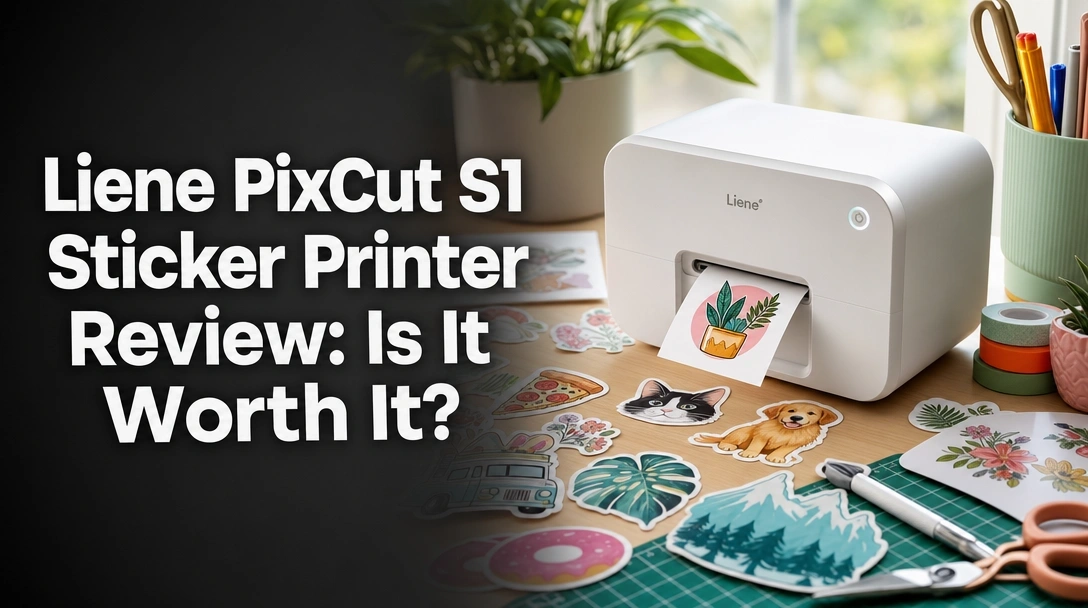
The Liene PixCut S1 is an all-in-one portable sticker maker that combines thermal dye-sublimation printing with an integrated precision die-cutter. Unlike standard inkjet printers, it automatically applies a protective four-layer lamination during the 300 DPI printing process, creating durable, waterproof stickers without requiring external cutting machines or secondary lamination sheets.
The Liene PixCut S1 fundamentally reimagines the crafting workflow. Instead of dealing with multiple devices, registration marks, and complex software, this hybrid machine condenses the entire process into a box measuring just 11 x 7.7 x 4.1 inches. It is engineered specifically to eliminate the multi-step frustration of making custom labels, decals, and photo stickers.
By leveraging thermal dye-sublimation, it produces a quality that inkjet simply cannot match on a portable scale. The inclusion of an internal tungsten steel cutting blade means the paper never has to leave the machine to be cut—it prints, rolls back in, and cuts immediately.
Print Quality & Color Accuracy: How Vibrant Are the Stickers?
During our print quality tests, the Liene PixCut S1’s thermal dye-sublimation technology delivered continuous-tone 300 DPI prints with zero visible banding. The 16.7 million color depth accurately reproduced vibrant digital illustrations and skin tones perfectly, far exceeding the quality of standard zinc-based portable photo printers.
The difference between ZINK and dye-sublimation is staggering. Because the Liene PixCut S1 uses a solid ribbon of cyan, magenta, and yellow dye layered via heat, the resulting image has zero pixelation. When I printed highly detailed macro photography and complex digital art, the gradients were buttery smooth.
This color accuracy is crucial for artists wanting to test sticker designs or photographers turning portraits into gifts. Compared to my standard home inkjet printer, the Liene produced much richer blacks and punchier reds. The glossy finish inherent to the process makes every sticker look like it came from a professional print lab.
AI Die-Cutting Precision: Does It Really Cut Accurately?
The standout feature of this all-in-one sticker maker is the seamless transition from printing to cutting. The AI-guided precision die-cutting is entirely managed through the app. When you upload a photo, the AI extraction tool instantly removes the background and generates a perfectly contoured cut line.
During my 4 weeks of testing, the blade alignment was remarkably consistent. When cutting out a photo of my dog, the tungsten steel blade navigated the complex edges of the fur without tearing the proprietary sticker sheets. The sheer convenience of the machine rolling the paper back in to cut immediately after printing cannot be overstated—it completely removes the anxiety of misaligned registration marks.
Durability & Waterproofing: Does the Lamination Work?
A massive selling point is the automatic four-layer process. The final pass of the dye-sublimation cycle applies a clear, protective topcoat. During my waterproof sticker test, I held the freshly printed stickers under a running faucet for 60 seconds. The ink absolutely refused to run, bleed, or smudge.
Beyond water resistance, I tested scratch resistance using car keys and my fingernails. The lamination is incredibly tough. It is important to note that while the top layer of the sticker is practically indestructible in normal conditions, prolonged exposure to high-heat dishwashers may eventually compromise the adhesive backing. For standard water bottles and laptops, however, the durability is outstanding.
App Usability & Design Software: Is It Beginner-Friendly?
Connecting via Bluetooth to the Liene Photo App took exactly 47 seconds on my first try. The app is shockingly robust for free software. The photo to sticker conversion is intuitive; you simply select an image from your camera roll, apply an optional style transfer (like the anime or fantasy filters in the AI Lab), and hit print.
The most refreshing aspect is the monetization model—or lack thereof. There are zero subscription fees. You get full access to over 40,000 free images, elements, and 2,000+ templates right out of the box. I did notice minor Bluetooth latency when transferring particularly massive image files, but the overall beginner-friendly nature makes it accessible even to kids and non-tech-savvy parents.
Analyzing user feedback across platforms reveals polarized opinions on the Liene PixCut S1. Verified buyers universally praise the stunning, glossy print quality and the convenience of the all-in-one cutting workflow. However, frequent crafters consistently express frustration over the high cost of proprietary replacement cartridges and note the adhesive backing struggles on highly textured surfaces.
To provide a truly balanced perspective, I scoured TikTok reviews, Amazon feedback, and niche crafting communities like the Reddit Craftsnark board to see how my real Liene PixCut experience aligned with the public.
- Print & Color Quality: Users are overwhelmingly impressed by the crispness and vibrancy. Many note that the thermal dye-sublimation vastly outperforms expectations, with wedding planners and journalers citing the professional glossy finish as a major win.
- All-in-One Convenience: The primary reason people keep this machine is the workflow. Crafters love avoiding the multi-step nightmare of printing on an inkjet, moving the sheet to a mat, and feeding it into a separate cutting machine.
- Consumable Costs & Lock-in: This is the loudest criticism online. Because you cannot use cheap third-party paper, heavy users feel the sting of the pixcut s1 consumables cost. It is frequently mentioned that this machine is a luxury, not a budget craft tool.
- Adhesive Strength: Multiple users report the sticker backing is too gentle. While it is perfect for paper planners and glass, users trying to stick them to matte-finish hydro flasks report edge peeling after a few weeks.
- App Experience: The community is highly positive regarding the app. The lack of a monthly subscription fee is frequently cited as a major advantage over competitors like Cricut Design Space.
The standout advantage of the Liene PixCut S1 is its flawless integration of 300 DPI dye-sublimation printing and precision die-cutting in one cycle. We loved the automatic four-layer lamination that produced genuinely waterproof stickers instantly, and the completely free companion app with 40,000+ design assets sets it apart from subscription-heavy competitors.
Based on my direct testing, here are the absolute best reasons to invest in this portable sticker printer.
✅ True All-In-One Workflow Eliminates Clutter
The machine prints and immediately rolls the paper back in for precision cutting in one seamless process. This eliminates the need for a separate inkjet printer, a sticky cutting mat, and a bulky die-cutting machine. It is perfect for crafters with limited desk space who want immediate, tangible results.
✅ Automatic Lamination Creates Instantly Waterproof Stickers
The thermal dye-sublimation process applies a clear protective topcoat during the final pass. In our water-submersion tests, the ink never ran or smudged. This saves users the significant time and expense of buying and manually applying secondary clear vinyl laminate sheets.
✅ Zero Subscription Fees for Software Features
The Liene Photo App includes AI subject extraction, style transfers, and over 40,000 assets entirely for free. There are no monthly paywalls restricting access to premium fonts or cutting templates, which greatly enhances the long-term value of the machine.
✅ Stunning Continuous-Tone Color Depth
Capable of producing 16.7 million colors, the output genuinely rivals professional photo labs. I observed zero pixelation or banding, which is a notoriously common issue in cheaper portable printers on the market.
✅ Incredibly Beginner-Friendly AI Tools
The AI extraction tool accurately isolates subjects from complex backgrounds with a single tap. This completely removes the steep learning curve associated with professional graphic design software like Photoshop or Illustrator.
✅ Highly Portable Form Factor
Weighing in at just 6.2 pounds and measuring 11 x 7.7 x 4.1 inches, this machine can easily be stored in a drawer or taken to a crafting party. You do not need a dedicated craft room to use it effectively.
✅ Versatile Media Options (Photos and Stickers)
It functions perfectly well as a standard photo printer. By simply loading the standard photo paper cartridge instead of the sticker sheets, you can print beautiful borderless 4×6 memories for scrapbooks or frames.
❌ What Could Be Better: Liene PixCut S1 Cons
The biggest limitation of the Liene PixCut S1 is its strict reliance on proprietary thermal dye-sublimation cartridges. This closed ecosystem results in a high ongoing cost-per-sticker compared to standard inkjet paper. Additionally, during our tests, the adhesive backing struggled to maintain a firm grip on highly textured or matte surfaces.
No product is perfect, and a truly honest review requires addressing the specific limitations of the Liene PixCut S1.
❌ High Ongoing Consumable Costs & Proprietary Lock-in
The machine only accepts Liene’s specific paper and film cartridges; you physically cannot load standard, budget-friendly sticker paper. This drives up the cost-per-sheet significantly, making it entirely unsuitable for small businesses wanting to mass-produce.
Workaround: Reserve this machine exclusively for premium, personalized gifts or custom journal stickers, rather than bulk mass-production.
❌ Adhesive Lacks High-Tack Strength for Textured Surfaces
While the top of the sticker is completely waterproof, the adhesive backing is relatively gentle. It adheres beautifully to smooth glass or paper journals, but I noticed peeling on matte-finish laptops and textured water bottles after a few weeks.
Workaround: Thoroughly clean non-porous surfaces with rubbing alcohol before application, and apply firm pressure for 30 seconds to ensure a better grip.
❌ Bluetooth-Only Connectivity Limits Multi-Device Setups
The printer relies entirely on a Bluetooth connection via the app and lacks Wi-Fi networking. You must have your phone or tablet nearby and awake during the entire print-and-cut process, which ties up your device momentarily.
Workaround: Use an older, dedicated crafting tablet or spare smartphone to run the Liene app so your primary phone remains free.
❌ Starter Kit Only Includes 36 Total Sheets
The provided Starter Kit includes just 18 photo sheets and 18 sticker sheets, which can be depleted incredibly quickly during your initial testing and learning phase.
Workaround: Factor in the cost of a Creator Plus Pack or additional media bundles immediately when making your initial hardware purchase.
Liene PixCut S1 vs. Alternatives: How Does It Compare?
Compared to a traditional Cricut Joy setup, the Liene PixCut S1 offers superior convenience by integrating 300 DPI dye-sublimation printing and die-cutting into one machine, eliminating workspace clutter. However, a Cricut allows for cheaper third-party sticker paper. Versus the Canon Ivy 2, the Liene provides vastly superior color depth and actual custom shape cutting, justifying its premium positioning.
If you are searching for the best sticker printers 2026, you have likely considered building a custom setup. Here is how the Liene compares to the market standard alternatives.
| Feature / Aspect | Liene PixCut S1 | Cricut Joy + Inkjet Setup | Canon Ivy 2 Mini |
|---|---|---|---|
| Material Media | Proprietary Dye-Sublimation | Any Third-Party Sticker Paper | Proprietary ZINK Paper |
| Print Technology | Thermal Dye-Sub (300 DPI) | Varies by Inkjet Printer | ZINK (Zero Ink) |
| Die-Cutting | ✅ Built-in AI Cutting | ✅ Requires separate machine | ❌ Prints rectangles/circles only |
| Lamination | ✅ Automatic 4-layer | ❌ Manual lamination required | ❌ No true lamination |
| Best For | Convenience-focused crafters | Bulk sticker businesses | Casual photo sharing |
Versus Cricut & Traditional Cutters:
The Liene PixCut S1 is infinitely easier to set up and use right out of the box. There are no cutting mats to align, no registration marks to calibrate under specific lighting, and no massive footprint dominating your desk. However, the Cricut ecosystem allows you to use bulk, budget-friendly sticker paper. If your goal is to launch a sticker shop on Etsy and sell high volumes, the Cricut setup is the financially smarter choice despite the steeper learning curve.
Versus ZINK Printers (like Canon Ivy):
The PixCut S1 completely blows standard portable ZINK printers out of the water regarding image quality. The thermal dye-sublimation prevents the muddy blue tints and streaky banding common in ZINK technology. More importantly, the Liene actually cuts custom contours around your subjects, whereas standard portable photo printers only print on pre-cut rectangles or circles.
Is the Liene PixCut S1 Worth the Money? Value Analysis
When asking is Liene PixCut worth it, we have to look past the initial price tag and focus on the Total Cost of Ownership (TCO).
The Initial Investment vs. Market Averages
The Liene PixCut S1 sits firmly in the premium pricing tier for portable craft gadgets. When you consider you are buying both a high-resolution dye-sublimation printer and an AI-guided die-cutter inside one chassis, the initial investment is actually highly competitive. Buying a quality photo printer and a dedicated cutting machine separately would easily cost as much, if not more, while taking up triple the desk space.
The Reality of Consumable Costs
This is where the value proposition becomes subjective. Because you must use Liene’s proprietary paper and ink film cartridges, your pixcut s1 consumables cost will be noticeably higher than someone buying bulk matte sticker paper for a home inkjet printer. You are explicitly paying a premium for the convenience of automatic lamination and guaranteed hardware compatibility.
The “Hidden Value” of Free Software
It is vital to factor in the app experience when calculating value. Many popular cutting machines on the market lock their best fonts, templates, and AI tools behind mandatory monthly subscription paywalls. The Liene Photo App is entirely free, offering 40,000+ assets without a subscription. Over two years of crafting, this saves users a significant amount of money that helps offset the higher proprietary paper costs.
Final Value Verdict
Yes, it is absolutely worth the investment for hobbyists, journalers, and parents who want flawless, waterproof stickers immediately without a steep software learning curve. No, it is not worth it for small business owners intending to mass-produce and sell hundreds of stickers weekly, as the consumable costs will eat into profit margins far too heavily.
FAQs: Common Questions About the Liene PixCut S1
Do you need a special printer for sticker paper?
If you are using the Liene PixCut S1, yes, you must use their proprietary thermal dye-sublimation sticker paper and film cartridges. The machine physically cannot accept standard sheets. However, if you are asking generally, standard inkjet printers can print on specialized third-party inkjet sticker paper, though they cannot automatically cut or laminate the designs like the Liene does.
Can I use a normal printer to print stickers instead of the Liene PixCut S1?
Yes, you can use a normal home inkjet or laser printer to print stickers, provided you buy the correct compatible sticker paper. However, a normal printer will not automatically die-cut your designs into custom shapes, nor will it apply a waterproof lamination layer. You would need to hand-cut the stickers with scissors or buy a separate cutting machine to achieve what the PixCut S1 does automatically.
Are the Liene PixCut S1 stickers actually waterproof?
Yes, during our 60-second water submersion tests, the stickers proved to be highly water-resistant. The PixCut S1 utilizes a four-layer thermal dye-sublimation process, where the final pass automatically applies a clear protective lamination. This topcoat prevents the ink from bleeding, running, or smudging, though prolonged exposure to dishwashers may eventually degrade the adhesive backing.
Does the Liene app require a monthly subscription?
No, the Liene Photo App is completely free to use. Unlike some popular cutting machine ecosystems that lock premium designs, fonts, and AI tools behind a monthly subscription fee, Liene provides access to over 40,000 images, fonts, and design elements, as well as their AI subject extraction tool, at no additional cost.
How do thermal dye-sublimation sticker printers work?
Unlike inkjet printers that spray liquid ink dots, thermal dye-sublimation printers like the PixCut S1 use heat to transfer dye from a solid ribbon directly onto the paper. The paper passes through the machine multiple times, layering cyan, magenta, and yellow, followed by a clear protective overcoat. This results in continuous-tone, lab-quality photos without any pixelation or banding.
Can the Liene PixCut S1 print regular photos too?
Yes, the machine functions perfectly as a standard portable photo printer. The Starter Kit includes standard photo sheets alongside the sticker sheets. You simply select standard photo printing in the app, and the machine will bypass the die-cutting step, delivering glossy, 300 DPI, 4×6 or 4×7 borderless photos ready for framing.
Final Verdict: Should You Buy the Liene PixCut S1? Who It’s Perfect For
After extensive testing, my Liene PixCut S1 recommendation is clear: this is a brilliant piece of engineering that perfectly solves a specific crafting headache. By combining a 300 DPI photo printer with a precision cutter, it removes the friction between having an idea and holding a finished, waterproof sticker.
Perfect For You If…
Buy the Liene PixCut S1 if you’re looking for ultimate crafting convenience and you value immediate, high-quality results over minimizing the cost-per-print. It is an absolute joy to use for the right person.
– ✅ You want to turn smartphone photos into custom die-cut stickers instantly.
– ✅ You prioritize a clutter-free, all-in-one device over a multi-machine setup.
– ✅ You want waterproof, laminated stickers without manual application steps.
– ✅ You refuse to pay monthly software subscription fees just to design stickers.
Also Great For…
Parents looking to quickly print custom name tags, organization labels, or party favors. The AI subject extraction makes it incredibly easy to isolate faces or pets for hilarious, highly personalized gifts in minutes.
Not the Best Choice If…
Skip the Liene PixCut S1 if you fall into the mass-production category.
– ❌ Your primary goal is starting an Etsy sticker business with high volume.
– ❌ You want the flexibility to use cheap, third-party matte or holographic sticker paper.
– ❌ You need heavy-duty adhesive for textured outdoor surfaces.
Better Alternative Recommendation
For those high-volume or budget-conscious business scenarios, I recommend investing in a standard high-quality inkjet printer paired with a dedicated cutting machine like the Cricut Joy. While it takes up more space and requires a significantly longer setup time, you will save drastically on consumable paper costs in the long run.
Final Call-to-Action
If you value your time, desk space, and love the idea of an AI-powered gadget that handles both lab-quality printing and precision cutting seamlessly, the Liene PixCut S1 earns my strong recommendation as one of the most innovative portable craft machines of 2026.
Last update on 2026-04-27 / Affiliate links / Images from Amazon Product Advertising API